30 August, 2017

Show URLs in Spotfire Table

Show URLs in Spotfire Table

Spotfire uses auto-detection to set URL renderer for a table column. So, if all values in a column start with "http://" or "https://" it sets URL renderer.

Like here:

Spotfire table with URLs

Moreover, it is possible to set URL renderer for columns in which the values do not look like URLs. But these values can be used as parameters for URLs.

Like here in the "Param Links" column:

Spotfire table parameterized URLs

The only step you need is to specify URL with a placeholder:

Spotfire URL renderer settings

via "Table Properties->Columns"

Spotfire column properties

Don't forget to choose "Link" as a "Renderer".

See more about Spotfire on GitHub

Xantorohara, 2017-08-30, Spotfire 7.8.0

29 August, 2017

Show images in Spotfire Table

Show images in Spotfire Table

Imagine that you have a table like this:

Service Name Service Id
Slack slackhq
Travis CI travis-ci
Zenhubio zenhubio
Atom atom

And you would like to see icon images in the "Service Id" column.

You know there is a storage with images, with URLs like this:

https://assets-cdn.github.com/images/modules/site/integrators/${Service Id}.png

So, actually these images should be used instead of appropriate "Service Ids":

https://assets-cdn.github.com/images/modules/site/integrators/slackhq.png
https://assets-cdn.github.com/images/modules/site/integrators/travis-ci.png
https://assets-cdn.github.com/images/modules/site/integrators/zenhubio.png
https://assets-cdn.github.com/images/modules/site/integrators/atom.png

It is easy to achieve it in the Spotfire:

  • Open "Table Properties" -> "Columns"
  • Select column
  • Set "Renderer" type as "Image from URL"
  • Click "Settings..." and put your URL with {$} as a placeholder

Spotfire screenshot

Now you have pretty images in Spotfire Table

See more on GitHub

Xantorohara, 2017-08-29, Spotfire 7.8.0

17 June, 2017

SBDF and STDF table viewer

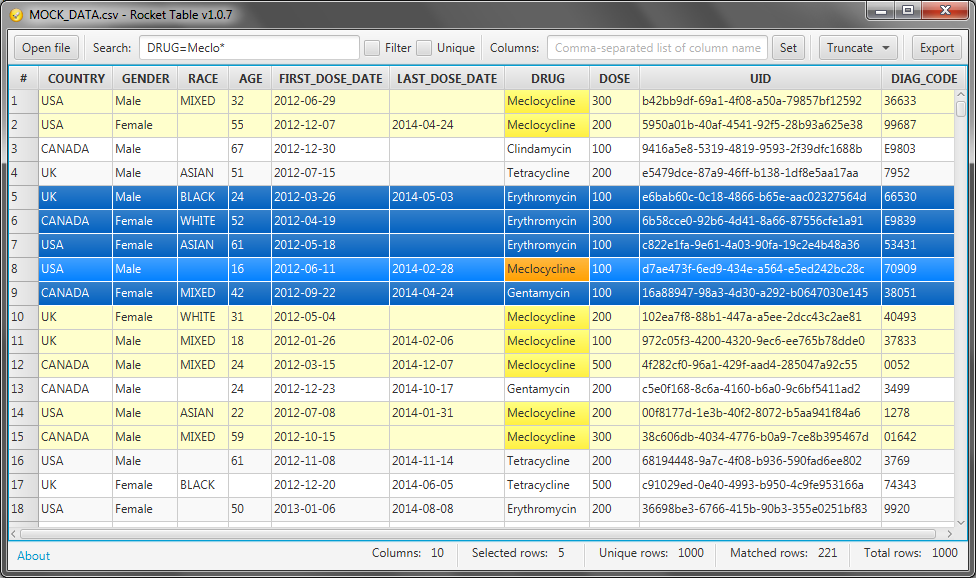
As I mentioned in previous post - Rocket table supports not only SAS (.sas7bdat) files. It also supports SBDF (Spotfire Binary Data File) and STDF (Spotfire Text Data File) file formats. Now you do not have to have expensive Spotfire installed in your system. Just use Rocket table it is pretty fast and compact.

SAS table viewer

Couple of years ago I implemented viewer for SAS (.sas7bdat) files. It was SAS Table Explorer. Actually now it is not only viewer for SAS files, but it also supports other table formats. I decided to rename that application to Rocket Table and continue development under this new project.

06 February, 2017

Spring Boot plugin duplicates dependencies

Recently I found that Spring Boot Maven plugin duplicates some dependencies in the output war file. The problem with time-stamped snapshot dependencies (they have versions like "1.1-20170206.160055-1"). In this case Spring Boot plugin puts both "1.1-SNAPSHOT" and "1.1-20170206.160055-1" versions of jars. Like here:

demo-webapp-1.1-20170206.160055-1.war:\WEB-INF\lib\
                        demo-core-1.1-SNAPSHOT.jar 
                        demo-core-1.1-20170206.160055-1.jar 

This is not critical (application will work), but unpleasant.

The problem occurs with a Spring Boot Maven plugin version before 1.4.4. With 1.4.4 it works fine. So just switch plugin to the 1.4.4, even if you use are using an earlier version of Spring Boot.

<plugins>
    <plugin>
        <groupId>org.springframework.boot</groupId>
        <artifactId>spring-boot-maven-plugin</artifactId>
        <version>1.4.4.RELEASE</version>
    </plugin>
...

After that it will keep only one file per dependency:

demo-webapp-1.1-20170206.160055-1.war:\WEB-INF\lib\
                        demo-core-1.1-SNAPSHOT.jar