Simple code that calculates frequency of letters:
from collections import Counter
s = '''
She sells sea-shells on the sea-shore.
The shells she sells are sea-shells, I'm sure.
For if she sells sea-shells on the sea-shore
Then I'm sure she sells sea-shore shells.
'''
print Counter(s)
Result:
Counter({'s': 32, 'e': 29, ' ': 25, 'l': 18, 'h': 16, 'a': 7, 'r': 7, '-': 6, 'o': 6, '\n': 5, '.': 3, 'n': 3, "'": 2, 'I': 2, 'T': 2, '
m': 2, 'u': 2, 't': 2, ',': 1, 'F': 1, 'S': 1, 'f': 1, 'i': 1})
05 January, 2013


04 January, 2013
Recover broken Amazon EC2 instance
Sometimes shit happens, accidentally.
Especially when you lost ssh access to your virtual server (e.g. due to errors in ~/.ssh/authorized_keys, /etc/sudoers, /etc/group, /etc/shadow or another important config file).
When you catch errors like:
No supported authentication methods available
or
sudo
sudo: >>> /etc/sudoers: syntax error near line 1 <<<
sudo: parse error in /etc/sudoers near line 1
sudo: no valid sudoers sources found, quitting
sudo: unable to initialize policy plugin
Don't worry, inside the Amazon cloud you can repair almost all.
Follow these simple steps to solve the problem:
Especially when you lost ssh access to your virtual server (e.g. due to errors in ~/.ssh/authorized_keys, /etc/sudoers, /etc/group, /etc/shadow or another important config file).
When you catch errors like:
No supported authentication methods available
or
sudo
sudo: >>> /etc/sudoers: syntax error near line 1 <<<
sudo: parse error in /etc/sudoers near line 1
sudo: no valid sudoers sources found, quitting
sudo: unable to initialize policy plugin
Don't worry, inside the Amazon cloud you can repair almost all.
Follow these simple steps to solve the problem:
- Via AWS console:
- Launch new temporary EC2 micro-instance in the same availability zone.
- Stop broken instance.
- Detach root EBS volume from the broken instance.
- Attach this EBS to the temporary instance (as /dev/sdf).
- Via SSH console from the temporary instance:
- Mount this EBS:
sudo mount /dev/xvdf /mnt - Fix all problems on mounted file system.
- Unmount this EBS:
sudo umount /mnt - Via AWS console:
- Detach this EBS from the temporary instance.
- Attach this EBS to the broken instance (as /dev/sda1).
- Start broken instance.
- Check that broken instance now is healthy (available via ssh and everything is functioning normally).
- Then you can stop temporary instance (or terminate it)
I hope this article will make someone little bit happy)
03 January, 2013
25 December, 2012
Disk drive for the Amazon virtual server
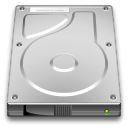 Amazon virtual server uses ELB (Elastic Block Store) storage as disk drive.
It's like a HDD (Hard Disk Drive) within the physical server.
You can create ELB of any size (1GB..1TB) from the Amazon Web Console.
Then you can attach ELB to EC2 (via Web Console),
format:
sudo mkfs.ext4 /dev/xvdf
mount:
sudo mount /dev/xvdf /mnt/disk1
and use:
sudo mkdir --mode=777 /mnt/disk1/tmp
I guess that internally ELB is just a dynamically expanding file, movable between servers.
And I've expanded ELB to the entire allocated size:
dd if=/dev/zero of=/mnt/disk1/tmp/zero bs=1M
921+0 records in
920+0 records out
965447680 bytes (965 MB) copied, 29.1309 s, 33.1 MB/s
Then ELB is very fast (speed depends on the file size and state of system caches):
(1.0 MB) copied, 0.0018899 s, 555 MB/s
(10 MB) copied, 0.0122498 s, 856 MB/s
(105 MB) copied, 0.442308 s, 237 MB/s
(262 MB) copied, 4.84185 s, 54.1 MB/s
You can create ELB of any size (1GB..1TB) from the Amazon Web Console.
Then you can attach ELB to EC2 (via Web Console),
format:
sudo mkfs.ext4 /dev/xvdf
mount:
sudo mount /dev/xvdf /mnt/disk1
and use:
sudo mkdir --mode=777 /mnt/disk1/tmp
I guess that internally ELB is just a dynamically expanding file, movable between servers.
And I've expanded ELB to the entire allocated size:
dd if=/dev/zero of=/mnt/disk1/tmp/zero bs=1M
921+0 records in
920+0 records out
965447680 bytes (965 MB) copied, 29.1309 s, 33.1 MB/s
Then ELB is very fast (speed depends on the file size and state of system caches):
(1.0 MB) copied, 0.0018899 s, 555 MB/s
(10 MB) copied, 0.0122498 s, 856 MB/s
(105 MB) copied, 0.442308 s, 237 MB/s
(262 MB) copied, 4.84185 s, 54.1 MB/s
New posts
Now I have time for my own ideas and interests. Time to consolidate and sort my knowledge in order to reassemble my brain.
I'm going to write series of articles about the Amazon Web Services: cloud services, servers, storage.
For me it was quite simple and very usable service. And of course I will use it in my future projects.
Also I want to thank guys from the Amazon support team: Aaron and Adam )
I'm going to write series of articles about the Amazon Web Services: cloud services, servers, storage.
For me it was quite simple and very usable service. And of course I will use it in my future projects.
Also I want to thank guys from the Amazon support team: Aaron and Adam )
Subscribe to:
Posts (Atom)